How to Play SaltaVidas
You start at 18 with $75 to your name, a high school diploma, no job, and nowhere to live — and no idea what you're doing. So: just like real life. The difference is that your character keeps aging whether you're watching or not — one game day every ~2 real hours — so you can check in a few times a day, make some decisions, and walk away. The game does not require your constant attention. It just quietly judges your choices in the background.
The story art and event narratives are AI-generated, directed by a human with actual opinions. Some careers in here may be under AI pressure in the real world. That's fine. That's kind of the point. Read more about that.

The First Thing to Do
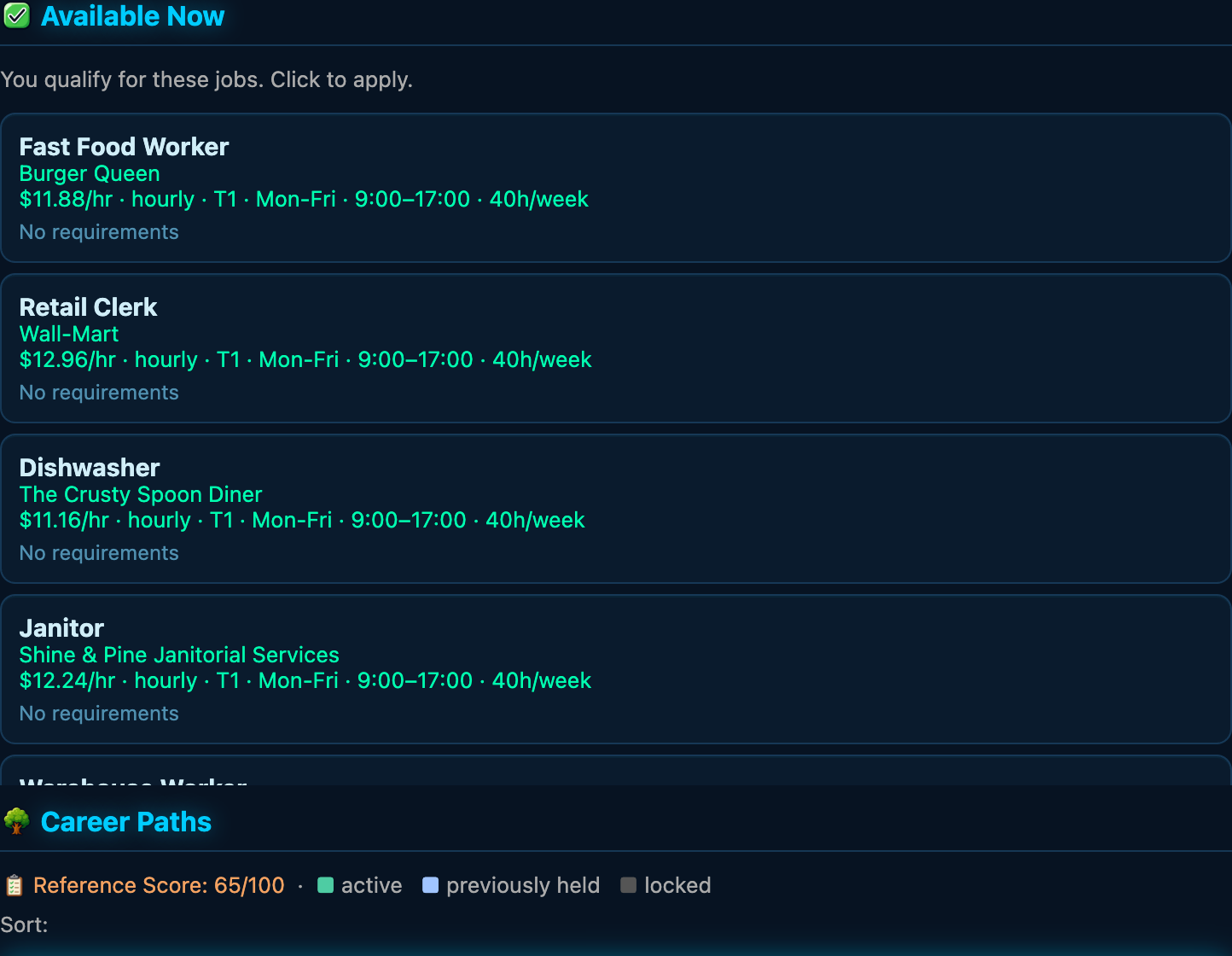
Get a job. Open the Jobs tab, check the requirements and schedule, and choose Apply on a role you qualify for. Follow the application or interview prompts: qualifying is not a promise that every application succeeds. Fast food, retail, dishwasher, janitor — you need income. Everything else flows from income.
Choose Your Direction — or Don't
After the tutorial's job-and-housing milestone, Here shows your life direction. Choose a focus such as career, family, or health, or let life surprise you. Use Revisit direction to change your mind. This only prioritizes relevant guidance: it does not change your odds, qualifications, rewards, or available choices.
Activities, Travel, and Unavailable Actions
Here shows activities at your current place. Read an activity's time, cost, and requirements before starting. If an action is unavailable, check its explanation: location, opening hours, your current shift or class, money, and your condition can matter. Use Go Somewhere or the Map to inspect a destination and trip before traveling. Travel takes game time too; allow for your commute before work or class.
Use a tab's ? button for a quick explanation and a link back to this guide. In Life Concepts, search topic names, categories, or words in the explanations. Clear the search to restore all topics; reopening help starts fresh. Searching help never spends game time. The guide opens in another tab so you can keep your game open. You can also replay the guided tutorial from Settings.
Workplace Cases
IT Support Specialists can investigate One Document Will Not Print, an optional fictional support case. In Here, open the workplace case panel to read the report and evidence gathered so far. Choose Review this step to check the time cost; only confirming Do this step performs the work. Opening, closing, or canceling the review costs nothing.
Each step takes 15 game minutes, with normal fatigue and hunger but no cash fee or bonus reward. You must be at work during this job's active shift, with enough time remaining. If another job's shift is active, return during your IT shift. Steps cannot cross the game's midnight action boundary; resume after the day changes. Ordinary work activities do not advance this case.
Your decisions determine which observations you gather. A successful test is not automatically a repair: you may verify a workaround, hand off useful evidence, or record that user confirmation is still needed. Progress survives reloading. This first case can be completed once per employment stint; its summary stays with that job and is removed when you leave it. It does not transfer to a descendant.
Write a Short Piece
Visit the Library and open A Short Piece on Here. This optional project has three stages: Focus on a remembered moment or an invented situation, Draft a scene or a structured piece, then Revise for clarity or voice. Your choices change the time and base stat gains, and stay recorded with the finished piece.
Select Review this choice to read its time and cost, then confirm to do the writing. Browsing, closing the overview, or cancelling the review spends no game time. Each stage takes one to three game hours with no cash cost; a full piece takes four to six game hours. Your condition can adjust the displayed base gains, and normal fatigue and hunger still apply. Availability and work or class warnings still matter.
You can leave and return to an unfinished project. Your choices so far shows the steps you have completed before the next decision. The completion count belongs to this life, and Recent pieces retains the latest 20 choice histories—not generated manuscript text. Nothing is published or shared, no writing income or credential is awarded, and projects do not pass to your next character. Ordinary library writing and its existing milestone remain separate.
Getting a Roof Over Your Head
Open Home to compare housing, costs, and requirements. Getting housed is an early priority. Your home and its amenities affect which activities are available; owning or renting a place is different from traveling there. Check Here after arriving for things you can actually do.
Your Vital Stats (Don't Let These Hit Zero)
Six numbers run your life. Neglect them and things start going sideways — slowly at first, then all at once.
| Stat | What It Is | What Happens at Zero |
|---|---|---|
| Health | Medical wellness | Death. Actual death. You get a eulogy. |
| Hunger | How recently you've eaten | Health starts draining. Eat something. |
| Thirst | How hydrated you are | Health drains too — and heat makes it worse. Drink water. |
| Energy | How rested you are | Everything you do works worse. |
| Hygiene | How clean you are | People notice. Shower. It's free at home and good for morale. |
| Fitness | Physical capability | Physical jobs and military careers flag you. |
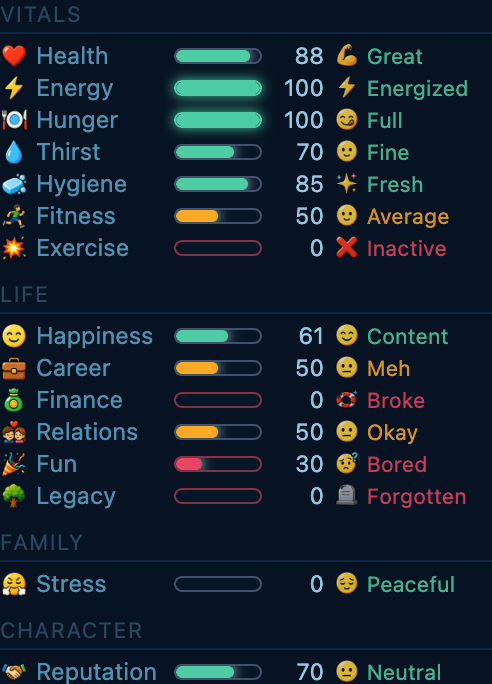
Hunger, thirst, and energy are the ones you'll manage most actively. Eat when you're hungry, drink when you're thirsty, sleep when you're tired. Caffeine buys you a couple of alert hours but always collects its crash later — unless a full night's sleep has you rested. This is not complicated advice, but it turns out it applies in video games too. (Happiness lives over in your Life stats — let it tank and your work and family will let you know.)
One more to watch, and this one works backwards: Stress. It sits in your Life stats and you want it low, not high. Long hours, juggling several jobs at once, running on empty, poor health, and money trouble all pile it on; a calm day, rest, and anything genuinely fun bring it back down. Let it run high for too long and it starts dragging your happiness — and eventually your health — down with it. Don't grind yourself into the ground.
Two more Life stats reward steady habits. Fun fades a little every day toward a floor set by your work hours — short shifts protect your leisure, and park, beach, and hobby time counts toward it. High spirits inspire your first creative or social moment of the day, and starting work with energy to spare carries it through a rough patch. Finance tracks how steady your money situation is: paying rent on time and keeping spending under income builds it, and the Finance tab shows the full report.
Time, Calendar, and What Happened While Away
Idle time advances about one game day per two real hours. Activities and travel can also advance the game clock by their displayed duration; a one-hour action is not a promise to wait one real hour. Review schedule warnings before confirming an action that could make you late.
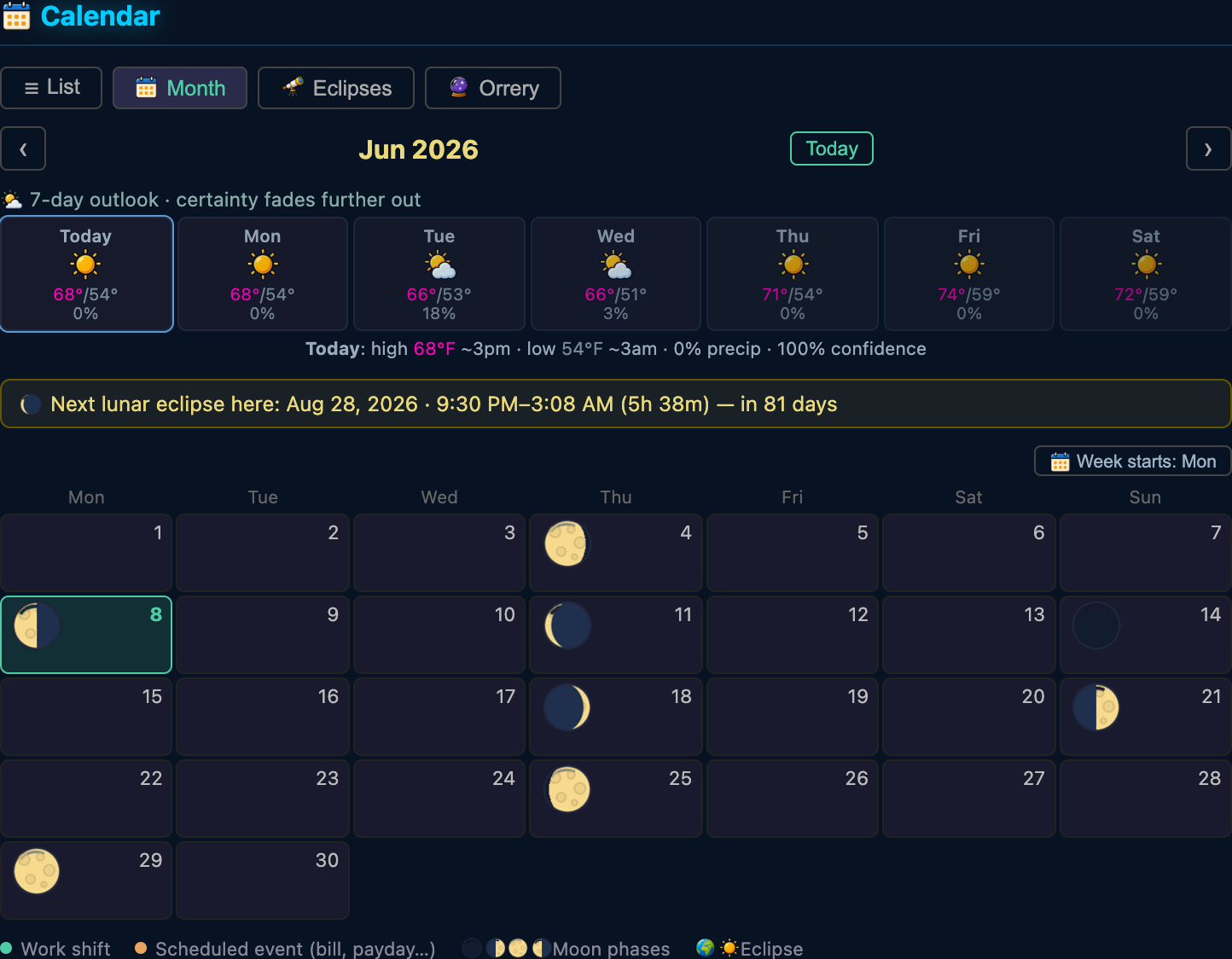
The Calendar's List view groups your upcoming obligations by date and marks reminders without repeating the event. Open Past dated events to revisit recorded milestones. This is a planning view: looking at it doesn't pay bills or perform any actions.
When a Welcome Back report has more events than its highlights show, open Read more events to inspect the rest of that report.
The report's Next best action is a suggestion, not an automatic activity. Urgent needs come first; training and class reminders help you return to your current commitments. Its button opens the relevant game section so you can review available choices and costs before acting.
Find Something in Your Diary
The Diary records events from this life. Search its entry text or displayed dates, then combine that search with All, Notable+, or Major. The count shows matching entries out of the retained entries available to search. Use Older/Newer to page through matches. Clearing the search does not change your diary.
This is not an unlimited lifetime archive: saves retain the latest 500 diary entries. A search with no matches does not prove something never happened. Search and page choices reset for a new life or account, and browsing never spends time or shares your entries.
Weather — It's Not Just Decoration
The sky overhead is real weather: a thermometer (or the temperature next to the clock) shows how hot or cold it is right now, and the Calendar forecast gives you each day's high and low. It's not there to look pretty. Well — it is. But it also does things.
Step outside in bad weather and it costs you:
- Cold and wet — you can catch a cold, the flu, or something nastier. Illness drains energy and happiness for days.
- Hot and sunny — you dehydrate faster and burn energy, and if you let your thirst bottom out you can get heat exhaustion. Drink before you're parched.
Indoors you're fine — home, work, the mall, a café. The catch: if you're homeless, there is no indoors, and the weather hits about twice as hard. Getting a roof over your head isn't just about pride; it's about not getting pneumonia in February. Dress for the forecast, basically — except the dressing part is "go inside."
The Night Sky Is Real (Yes, Really)
Look up. The stars, the planets, the sun and the moon are all in their actual positions for the date you're playing and the city you live in — and they drift across the sky as your life ticks by, exactly like the real thing. The moon goes through its real phases, on the real day your city would see them.
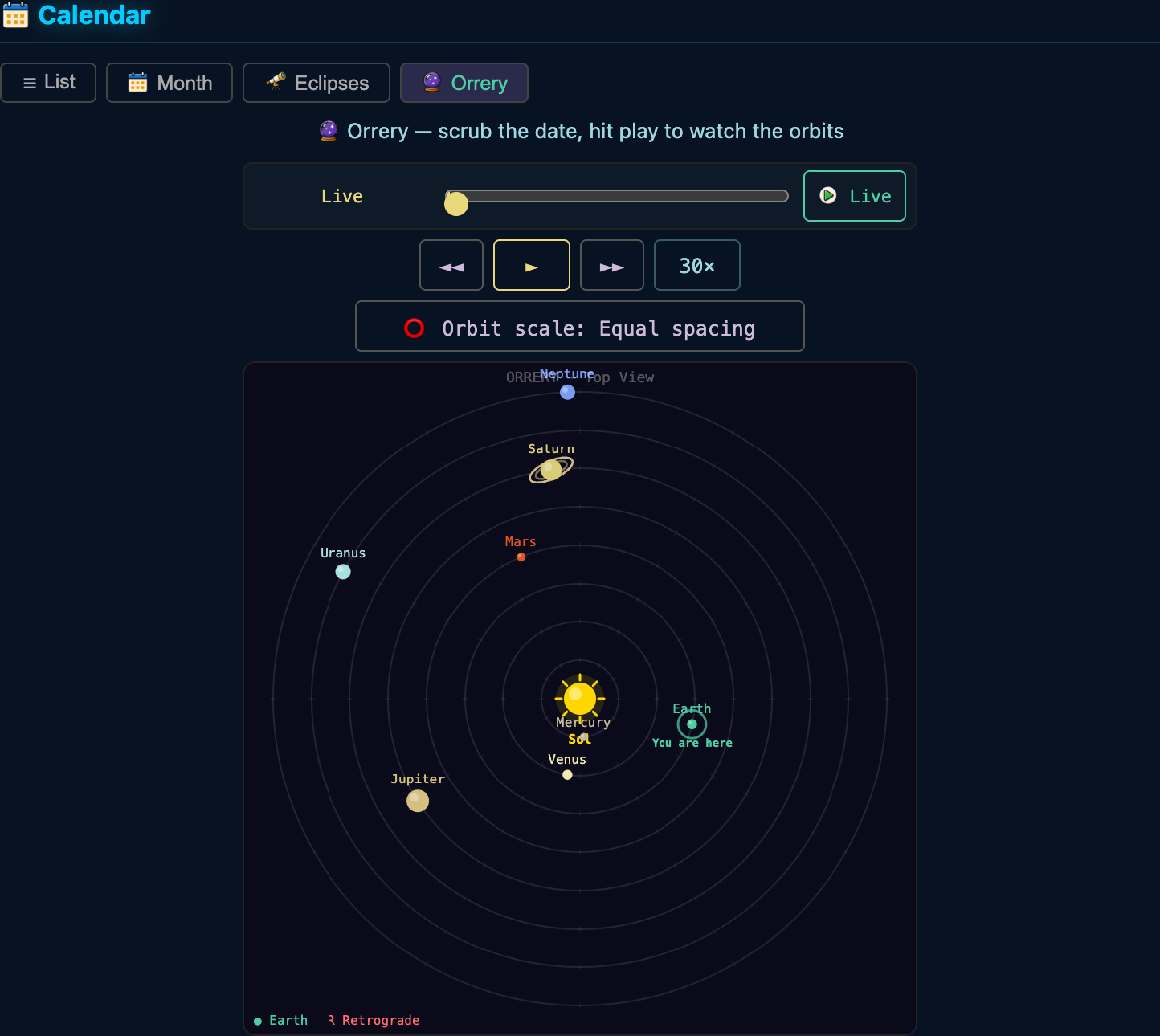
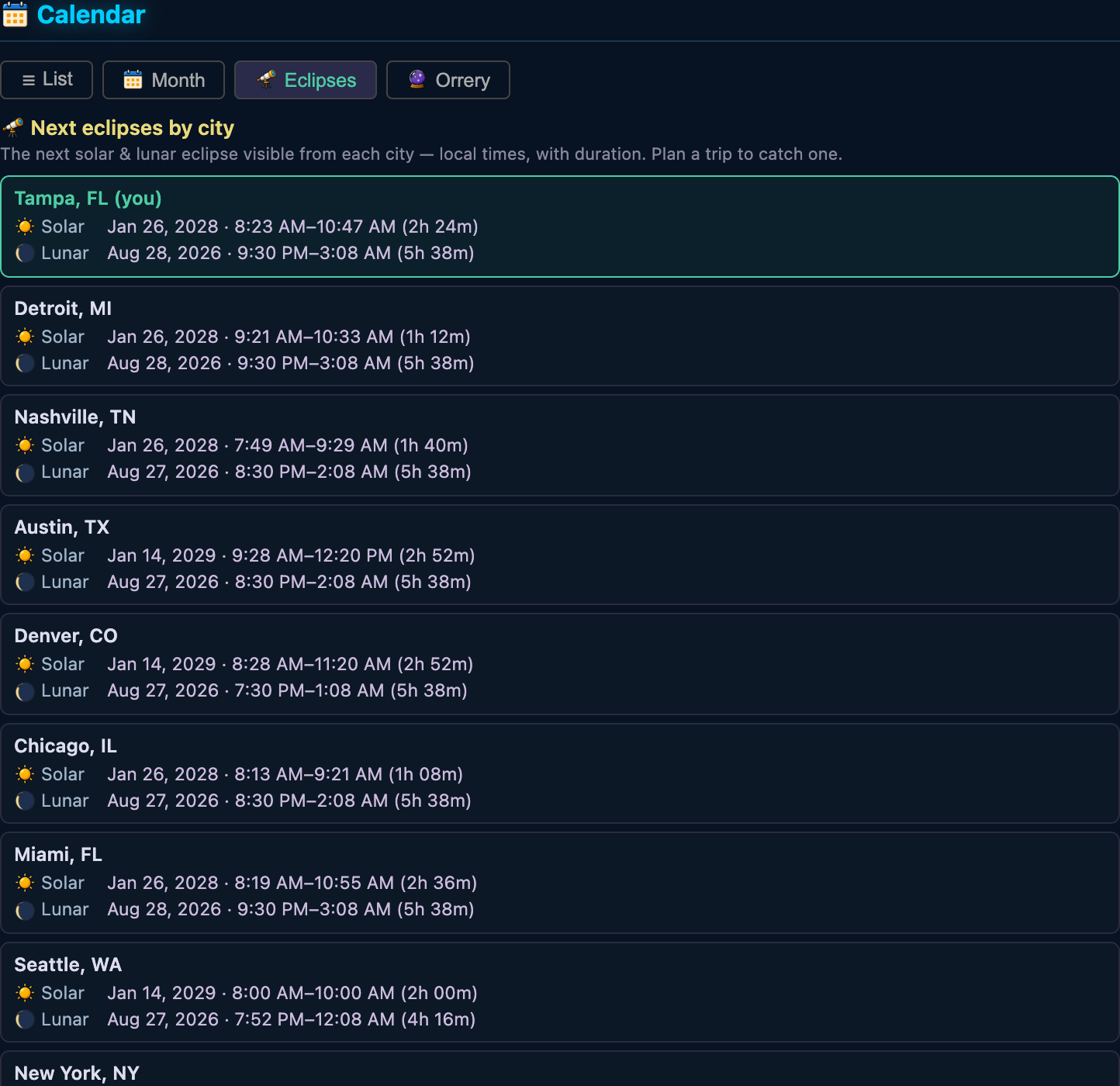
Open the Calendar and you'll find an Eclipses page that predicts the next solar and lunar eclipse visible from every city — with local start and end times and how long it lasts. These are real, computed predictions, not flavor. So yes: you can plan a trip to another city to chase an eclipse, watch the sky darken, the stars come out, and the sun's corona flare at totality. We did the orbital mechanics so you don't have to. (There's also an orrery, because of course there is.)
Getting a Better Job (You Can't Buy Your Way Up)
In Jobs → Available Now, search by title or employer, or use More jobs and Previous jobs to browse six roles at a time. The count shows how many match your search. Clear the search to see all available roles again. Choose Review schedule to check a role’s hours before continuing the application; Resume interview continues a pending interview. Eligibility is not a guarantee that an interview succeeds.
In Jobs → Career Paths, search by job title or field. Matching paths open automatically, with the surrounding ladder kept visible for context. Clear the search to restore your browsing view. Select a role to review pay, schedule and requirements, and follow credential links to explore training. The Jobs ? button opens a quick explanation and a link back here.
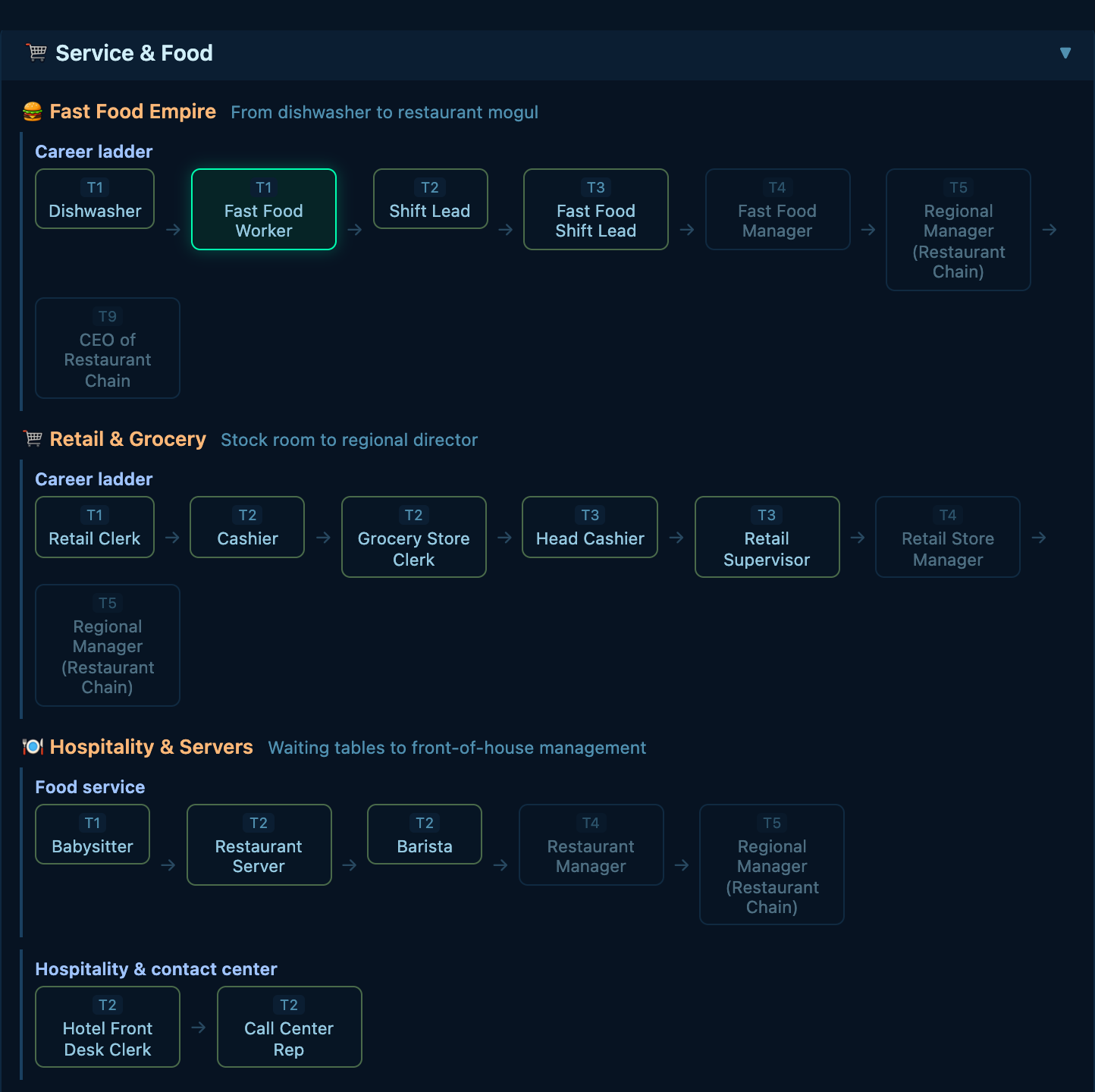
There are 250+ jobs across 22 career categories and 10 tiers. You advance by actually qualifying — education, certifications, work experience, and in some cases specific skills you can only get by working a related job first. Money helps indirectly (paying for degrees and certs) but you cannot just buy a promotion. The game takes this seriously.
The Career Ladder in Plain English
In hospitality, Lead Server offers a step between serving tables and restaurant management. It requires two years of work experience plus customer-service and multitasking skills, which Restaurant Server teaches. It adds floor coordination and coaching; Restaurant Manager still has its own requirements. Lead Server also has a 52-card knowledge collection, with placeholder illustrations while its artwork is being completed.
- Service: Fast food → manager → corporate → CEO
- Trades: Apprentice → journeyman → contractor → your own empire
- Tech: Junior developer → engineer → CTO
- Healthcare: Medical assistant → nurse → surgeon (takes a while)
- Military: Enlisted → NCO → commissioned officer → general (there are PT tests)
- Legal: Paralegal → lawyer → judge
- Education, Finance, Science, Media, Sports, Public Service — all have their own ladders
- Religious vocations: Catholic, Protestant, Jewish, Islamic, Buddhist paths — yes, really
Getting a Raise (Without Switching Jobs)
You don't have to change jobs to earn more. There are two ways your pay goes up where you are:
- Ask for a raise. After you've put in enough time at a job — and as long as your career satisfaction is decent — an "Ask for a Raise" action shows up among your work activities. Use it when you've been performing well.
- Quarterly performance reviews. Every few months your employer reviews you. A strong review can hand you a raise on its own — no asking required.
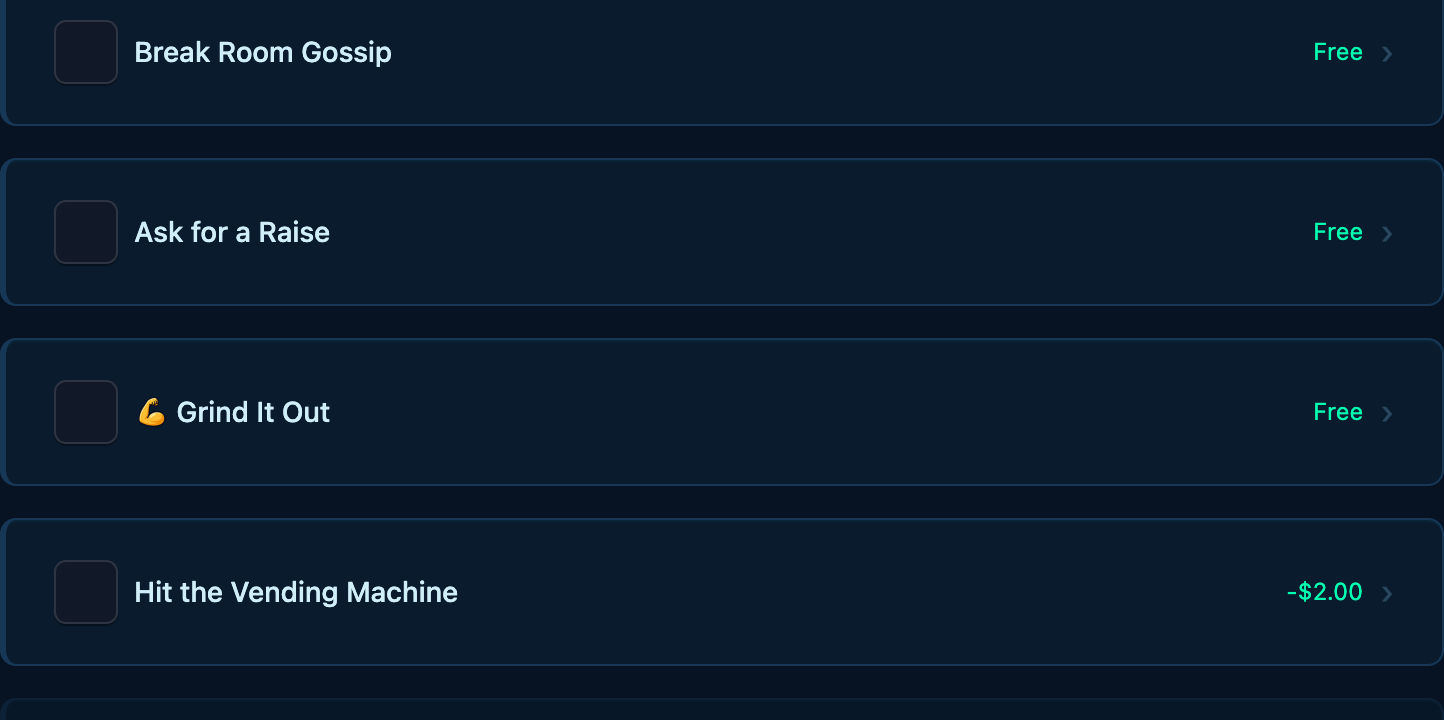
Both come down to performance. Doing your job's work activities, showing up, and keeping your character in good shape build performance up; chronic lateness, missing shifts, or showing up in rough condition drag it down. Strong performance now sticks — keep it high and the raises follow. (Raises top out at a job's pay band; past that, the move is a promotion to the next rung.)
Become Known locally by busking, volunteering, and other community gigs; high career satisfaction unlocks a Recommend option that trades some of it into lasting professional reputation. Once a city knows your name, headline gigs come calling — and steady savers sometimes get the chance to put surplus cash to work.
Education — The Most Important Purchase You'll Make
Open the Life tab → Education. Degrees and certifications unlock job tiers. Without them, you'll hit a ceiling fast.
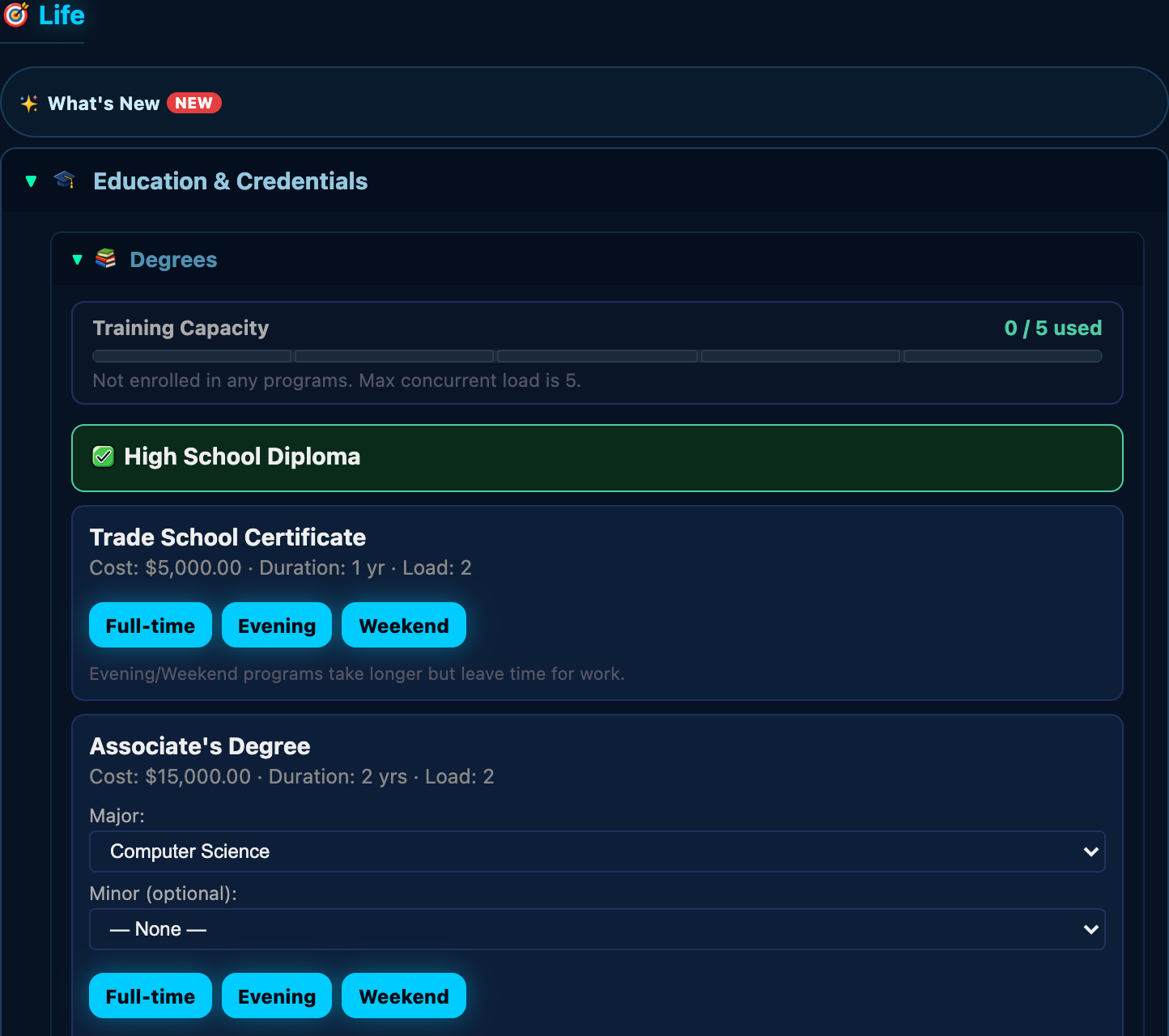
- Pay tuition upfront. Choose a schedule: full-time (faster, blocks daytime work), evening (slower, can still work days), or weekend (slowest, keeps your weekdays free).
- Attend class activities to maintain your GPA. GPA below 1.5 and you drop out — tuition gone, no credential. Keep your energy and hunger up while studying.
- A 3.5+ GPA earns honors. Doesn't unlock anything specific yet, but it feels good and the game notices.
Money — It Goes Fast, It Comes Slowly, Respect It
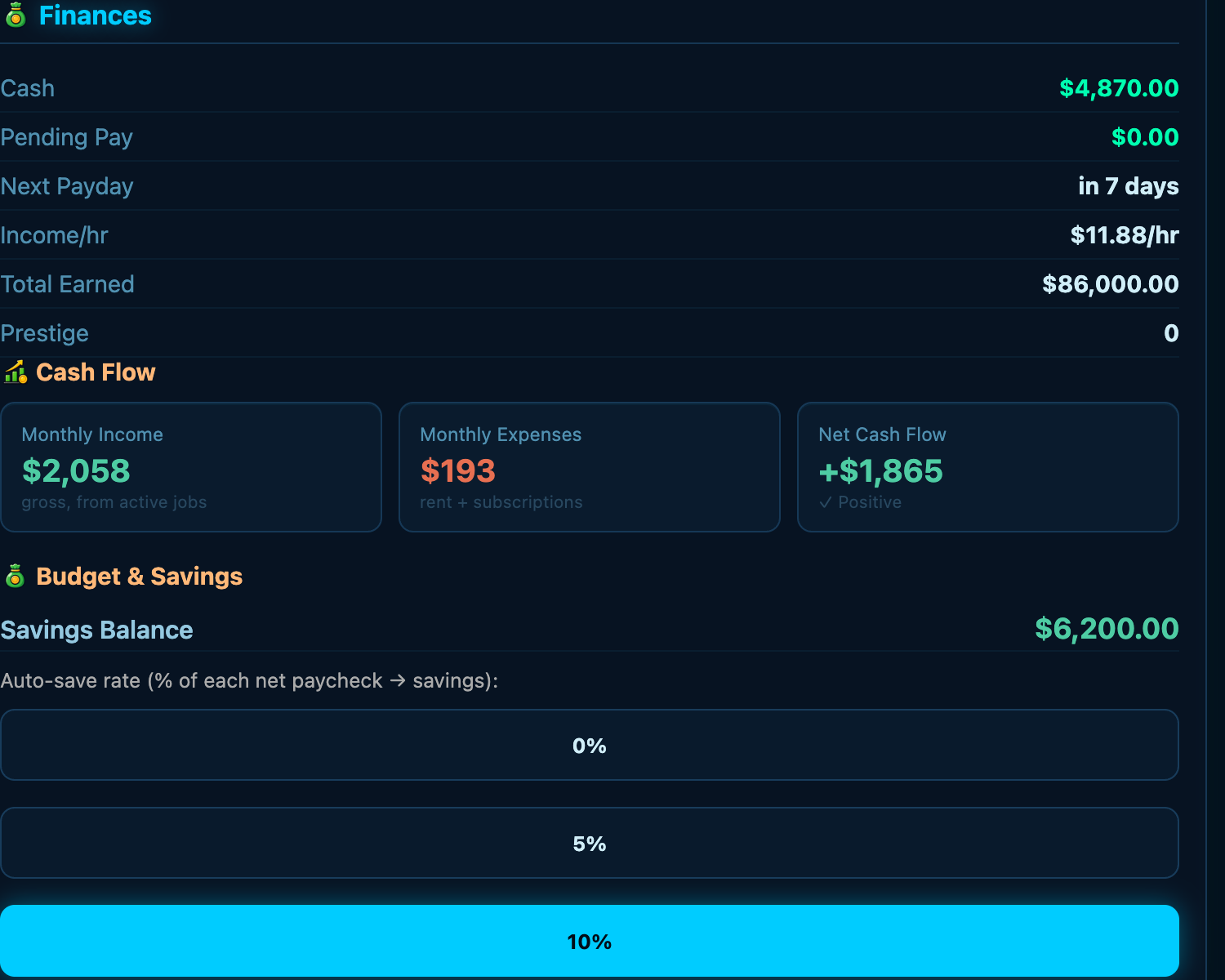
Paychecks are net pay (after simplified withholding). They land on payday. Everything else drains your account continuously: rent, utilities, food, transport, loan payments. The Finance tab shows you where it all goes and whether you're solvent.
Credit Score and Loans
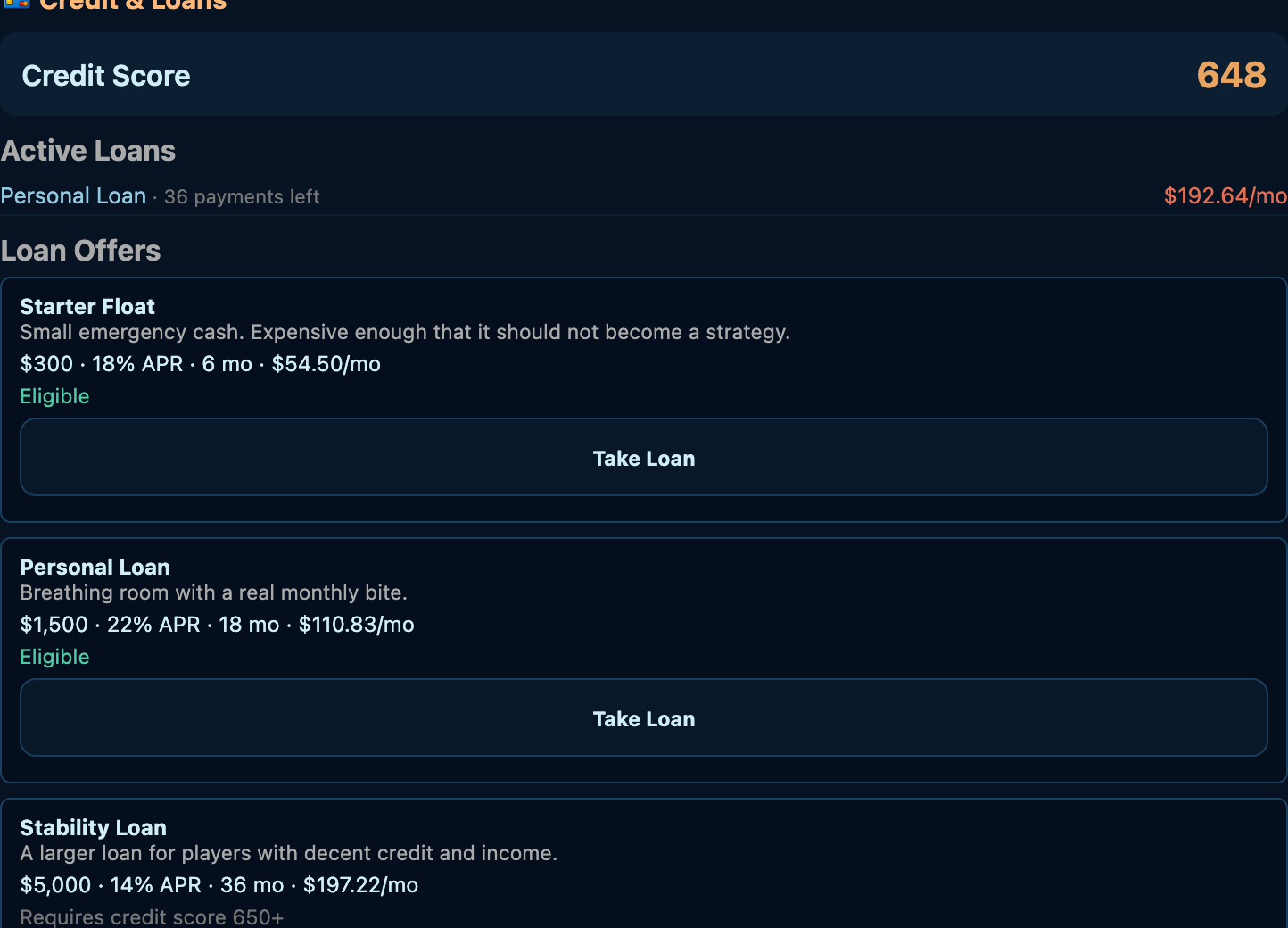
You start at 650. Stay in good standing — no missed payments — and your score heals over time on its own, climbing fastest when it's low and leveling off as it approaches great-credit territory. Miss a payment and it drops fast (the penalty gets worse each time you miss the same loan), and that passive recovery pauses until you're current again. Hit 750+ and you get the best rates. Drop below 600 and lenders charge you double. Multiple loans are allowed, but the game enforces a 36% debt-to-income limit. Don't take on more than your paycheck can carry.
And your savings earn interest — money you park in savings grows a little every year, so building a cushion actually pays. It's slow and steady, but it compounds.
If You're Struggling
Low income qualifies you for food assistance (SNAP-style) and health coverage (Medicaid-style) — simplified game models based on real USDA and HHS figures. Check the Life tab. These systems exist specifically so you can survive the early grind without the game becoming impossible.
Insurance — Boring Until It Isn't
Health and auto insurance work differently. Covered household health claims share the active plan's deductible and out-of-pocket accounting, which resets each plan year. Auto collisions instead use a fixed deductible per claim; breakdown assistance is separate. Check Finance → Benefits for the actual terms and your selected employer coverage. Medicaid-like and military TRICARE-like health options have their own eligibility and terms.
Life Credits — Earn Them Daily
Life Credits (LC) pay for optional uses such as card peeks and shop perks. Check the LC meter for your balance and capacity. Capacity starts at 10 and can grow to 20 through completed referrals or shop purchases. Vouchers stay in your inventory until you use them; each adds up to 10 LC without exceeding your capacity, so check your available room first.
Benefactor Packs are the only thing sold for real money ($5 in the shop) and are tradable: redeem one for 30 days of Benefactor Status (a badge plus one extra active-perk slot — it never changes jobs, pay, stats, or death) or convert it into three +10 Life Credit Vouchers to spend whenever you have room. You can also gift a pack to a friend, or sell it to another player for in-game cash on the Pack Market (Shop → Player Market), where prices are set freely by players and sellers are notified on every sale. Free players can earn in-game cash and buy packs that way — no real money required.
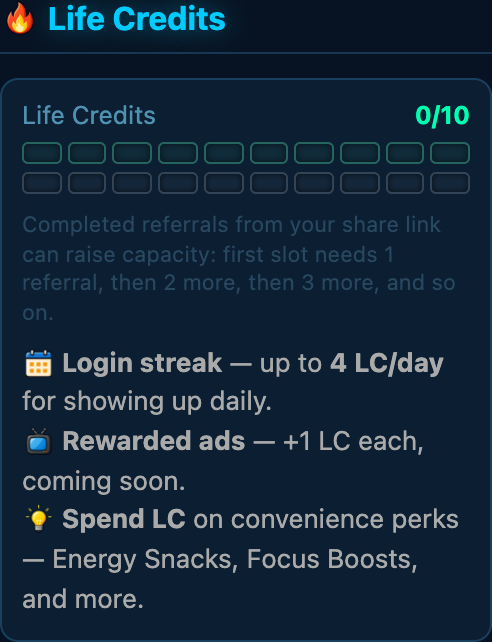
📅 Login streak: Log in every real day to build your streak. Each consecutive day earns more LC (up to 4 LC/day). Miss days and your earning potential drops, but you keep whatever LC you've already earned. Forgiveness built in: your first missed day per run never breaks the counter, your longest run is always remembered, and within 48 hours of a real break you can buy the run back with in-game cash from your leaderboard row — never real money.
📺 Rewarded ads: When a rewarded-ad offer is available, its button shows the LC reward. Check the offer and your bank capacity before starting.
Read each offer's cost and effect before spending. A card peek reveals a lesson temporarily; it does not award the card or collection progress. Capacity upgrades increase how much LC you can hold, not your current balance.
Current LC perks stay visible below Active perks, even when your balance is zero. Each shows its effect and, when available, remaining game days. Activities and travel can advance that time too, so it is not a real-world countdown. Active effects are separate from purchase buttons; reading them does not spend anything.
Benefactor Status — Support the Game, Get the Glow
A Benefactor Pack ($5 in the Shop) is our donator-style support pack. Each pack is tradable: redeem it yourself, gift it to a friend, or sell it to another player for in-game cash on the Pack Market (Shop → Player Market), where prices are set freely by players — free players earn packs purely through gameplay.
Benefits, per pack redeemed: activate 30 days of Benefactor Status — your username glows gold everywhere it appears (chat, leaderboard, friends, messages, gifts, collections, game tables), plus one extra active-perk slot — or convert the pack to three +10 Life Credit Vouchers instead. Status time stacks (+30 days per pack).
Loyalty: each calendar month with any active Status day earns +1 Life Credit capacity (up to the max of 20); a month with no Status decays it back by 1. Owning packs alone earns nothing — only active Status counts, no matter where the pack came from (shop, gift, or market). Turn on auto-convert in the Shop and a held pack converts itself when your Status expires, so your months never gap. Previously bought capacity slots are yours to keep.
Terms: Status is convenience and prestige only — it never changes jobs, wages, stats, credentials, or death. If your Status lapses and you don't renew, the glow and the extra slot revert (already-running perks finish their course; you just can't start a new one in the bonus slot). Refunds and chargebacks remove held packs first, then active Status time, then the equivalent LC (see Shop → My Purchases to request one). Packs live on your account inventory and survive new lives and descendants.
Check a Purchase's Status
Shop extras are optional, not required to play or progress. While signed in, open Shop → My Purchases to review your purchase records and their current status. Returning from checkout does not by itself confirm payment or item delivery. If nothing new appears yet, check the record before buying again; processing may still be underway. If the record cannot load, try again when your connection returns.
Background gift, shop, and refund notices leave an open dialog or activity alone. A notice may appear on a later visit, but you do not need to wait for one to check My Purchases. These notices describe account changes; they never purchase or spend anything for you.
Benefactor Years: every 12 months you hold Benefactor Status earns 1 Year credit — whole credits only, never fractions. The shop shows your balance, and shelf items offer a "spend Year credits" option beside the cash price, so loyalty can buy what cash can. Year credits never buy LC capacity — that grows through referrals, loyalty months, and the shop.
Banking Life Credits: on the LC Voucher card, "Bank 10 → +1 voucher" turns 10 banked Life Credits into a stackable voucher you can use later, gift, or sell. A voucher refills up to 10 credits when used; if your bank only has room for part of it, the shop asks before wasting the rest.
Pack Market — Buy and Sell With Other Players
Open the 🎗️ Market tab to trade Benefactor Packs, LC Vouchers, and job knowledge cards with other players for in-game cash — never real money. One row per item; tap it to compare its sellers cheapest first, each with its seller-set lot price. Recent medians per item type are transparency only, not price controls. Filter by type, search by name, or cap the price to browse. Tap Sell an item to list from your inventory (packs, vouchers, and card copies take a quantity). Tap a card seller line to preview it — the full card if you already own the design, otherwise the locked card with its peek offer. Your own listings sit above the book, each with a Remove button that returns the item. Buying always asks for confirmation first. Sellers are never named.
Job Knowledge Cards — Your Career Collection
With a free account, every second paycheck from a particular job awards a random card from that job's 52-card set. Cards range from Common to Legendary, and repeat copies stack together. Each different design counts once: duplicate copies do not add extra set progress. Your collection stays with your account across lives.
Open Collection to search by job title, choose a page size, or show only owned cards. New cards appear first by default and keep their badge until you open them. Switch off New cards first for rarity-then-title sorting within each job. Tap a card to examine it, then use its corner control to flip it.
The card front shows its title, artwork, rarity, and 13-card learning lane with your progress. The back holds the lesson, source, and copy count. Tap the lane label for its planned perk details and the card's Future Value; these are not active yet. Collecting all 52 different designs for a job does grant Collection Mastery: +2% to positive job-performance gains per completed set, capped at +10%.
The Collection Mastery panel shows the account's current bonus and cap. Open How it works & earned sources for the completed positions behind it. This benefit survives into future lives and does not change when you search or page through the binder. When browsing another player, the panel describes their account, not yours.
Use the job search and Previous/Next controls for everyday browsing. Open More browsing options to look up another player, jump to a particular page, or change how many cards appear at once.
Enter another player's exact username to browse their collection. If you do not own a card, its artwork and lesson stay hidden. After confirmation, 1 Life Credit reveals the card for the current view only; you can then flip it freely. Wait for the pending peek to finish rather than clicking again. Returning later requires another peek unless you own the card. Peeking never adds ownership or set progress.
Social, Privacy, and Rankings
Received Postcards
In Social, pending postcards appear in Gifts to you. After accepting one, open Received Postcards to enjoy it again. Your previously accepted postcards are included. They stay with your account, even across character lives, until you choose Move to Trash and confirm. Switch to Trash to restore a card; nothing is permanently deleted here. Use Older/Newer postcards to browse your collection.
These postcards are friendly greetings showing who sent them and when; they do not contain custom written messages. Invitation postcards shared outside the game are separate and do not appear in this collection.
Use Social for player conversations and friendships. An account is needed to post. Review the community rules before participating, and use the available block and report controls when needed. Do not share private account details in public conversations.
The Leaderboard compares player standings; individual games have their own rankings and placement benefits in Games. Looking at a ranking does not enter a game or spend credits. Read the displayed entry conditions before playing.
Community Circles — Build Something Together
Open Social → Community Circle. Create a private circle in your current city or accept an invitation. You can belong to one circle at a time, with up to six members. Creating a circle does not invite anyone automatically. Its organizer can invite friends; each recipient decides whether to join.
The organizer can preview and start a neighborhood skill-sharing workshop. Starting is free and does not commit anyone else's time. First prepare learning materials, then help facilitate sessions. Each phase needs two different accounts, contributing once each. You can participate at different real times; your characters do not need matching game dates.
To help, go to the Community Center in the circle's city during its available hours. Open Review your contribution and check the one-game-hour cost and any work or class warning. Normal fatigue and activity requirements apply. Use the circle's contribution button to credit the shared project; doing a similar activity independently does not credit it. Changing characters does not give your account another contribution in the same phase.
Use Refresh to see others' latest contributions. Completion leaves a shared history record, not cash, LC or a competitive bonus. There is no deadline or attendance streak. Open Past workshops to browse completed and archived work.
Blocking does not automatically leave an existing circle or erase accepted work. Shared totals remain visible, while names and contribution attribution are filtered by privacy rules. Existing members may still choose to contribute. To stop participating and remove your private access, choose Leave this circle.
Under Members & circle choices, you can leave at any time. Leaving removes your private access but keeps accepted work counted. If the organizer leaves, contributions pause until a member explicitly accepts the role. Transferring the role also requires the recipient's acceptance. The organizer may archive unfinished work after confirmation: it cannot reopen, does not count as completed, and does not refund spent time. A circle can start at most five workshops in any rolling 24 real hours, including ones later archived.
Games — Play for Fun, Climb for Perks
Free library does not mean every round is free: games do not need paid unlocks, but many hands or solo sessions cost 1 Life Credit. Check the specific game's entry preview for its cost, location, and any stakes before starting. Life Credits can be earned in game without a purchase.
Use Find a game or benefit to search by game, perk, or what it helps with. Signed-in players can filter to games they rank in or games currently giving them perks. Open Your placement perks to see each benefit's source and effect. These follow your current standings, not permanent ownership, and percentages for different effects are not added together.
Open the 🎮 Games tab — one place to browse every game, see its perk and where you rank, and start playing. The library is big: classic card games (War, Hearts, Spades, Cribbage, Bridge and more), strategy board games (Tic-Tac-Toe, Connect Four, Checkers, Ultimate Tic-Tac-Toe, Backgammon, and Chess), and solo puzzles (Sudoku, Minesweeper, Word Guess, 2048, Nonogram, Hangman, Mahjong, Crossword), plus fast-reflex arcade games (Dino Dash, Slither, Peg Drop, Myriapod, Gold Runner, Astro Assault). The library is open without paid unlocks and offers plenty of ways to unwind — but they're also more than a diversion.
Tap ▶ Play on any game and you're in. For the board games you pick a difficulty — Easy, Medium, or Hard — and drop straight into a match against the computer (Easy and Medium bots make real mistakes, so you can actually win); or choose “Play a friend” to host a table at home and invite someone. Where you can play: Solitaire and Hearts go anywhere you are (and are the only two you can sneak at a desk job); the rest play at home or a casino. No games during class — focus up. And real-money play stays at the casino (21+).
Every game has its own leaderboard, and the best players earn something real. Finish in a game's top three and you hold that game's perk — a genuine, lasting boost to your character's life, not a one-time trinket. You keep it as long as you keep your spot, so it's a reason to actually get good. A few examples:
- Sudoku → Unflappable — real stress resilience: day-to-day pressure builds your Stress more slowly.
- Minesweeper → Careful — bad luck hits softer: when a negative event strikes (a surprise bill, a robbery, a health setback), it does noticeably less damage.
- 2048 → Compounding — your savings interest and your credit-score recovery both grow faster.
- Word Guess → Articulate — your interview prep pays off more: prepare for an interview and a sharper pitch gives you an even bigger edge.
- Chess → Longevity — the marquee prize: healthy living banks extra years of life faster, so you live longer to grow your bloodline.
- Tic-Tac-Toe → Quick Off the Mark — shorter commutes and travel time. (Checkers, Backgammon, Ultimate Tic-Tac-Toe, Hangman, Mahjong, Nonogram, and Crossword each grant their own perk too.)
- The card games grant their own perks too — higher income, faster learning, stronger relationships, cheaper living, and more.
The leaderboard shows exactly what each placing earns before you sit down, and you can always see where you rank in every game (even dead last) plus the full standings. Beating real people counts for full credit; beating the computer still ranks you — and the harder the bot you beat, the more it's worth, so a Hard win climbs faster than farming easy ones. The harder, marquee games hand out the strongest perks.
Going Out, Drinking & Consequences
You can drink — at a bar, a club, or your own Home Bar once you install it. The game won't stop you. But it's a simulation, so it keeps score: get drunk and you'll feel it in your Vitals (Buzzed → Tipsy → Drunk → Wasted) and again the next morning as a hangover. Push your luck and the consequences get real — drive drunk and you risk a DUI; show up to work drunk and you get sent home; keep it up and you can get fired, even blackballed. The good news: there's always a road back.
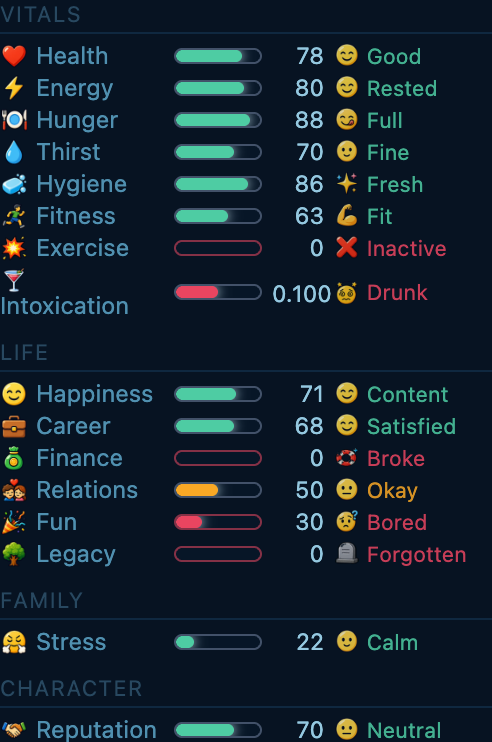
It's a whole little arc — vices, mistakes, and earning your way back through references or rehabilitation at the Community Center. Read the full guide: Drinking, Consequences & Second Chances →
Fitness — The One That Actually Has Depth
Fitness follows a real exercise science curve called supercompensation. Here's the short version: exercise actually drops your fitness for a day or two (your body is being broken down), then it overshoots your previous level as you recover (days 3–7). Miss that window and you slowly drift back to baseline. Train consistently and fitness climbs over time.
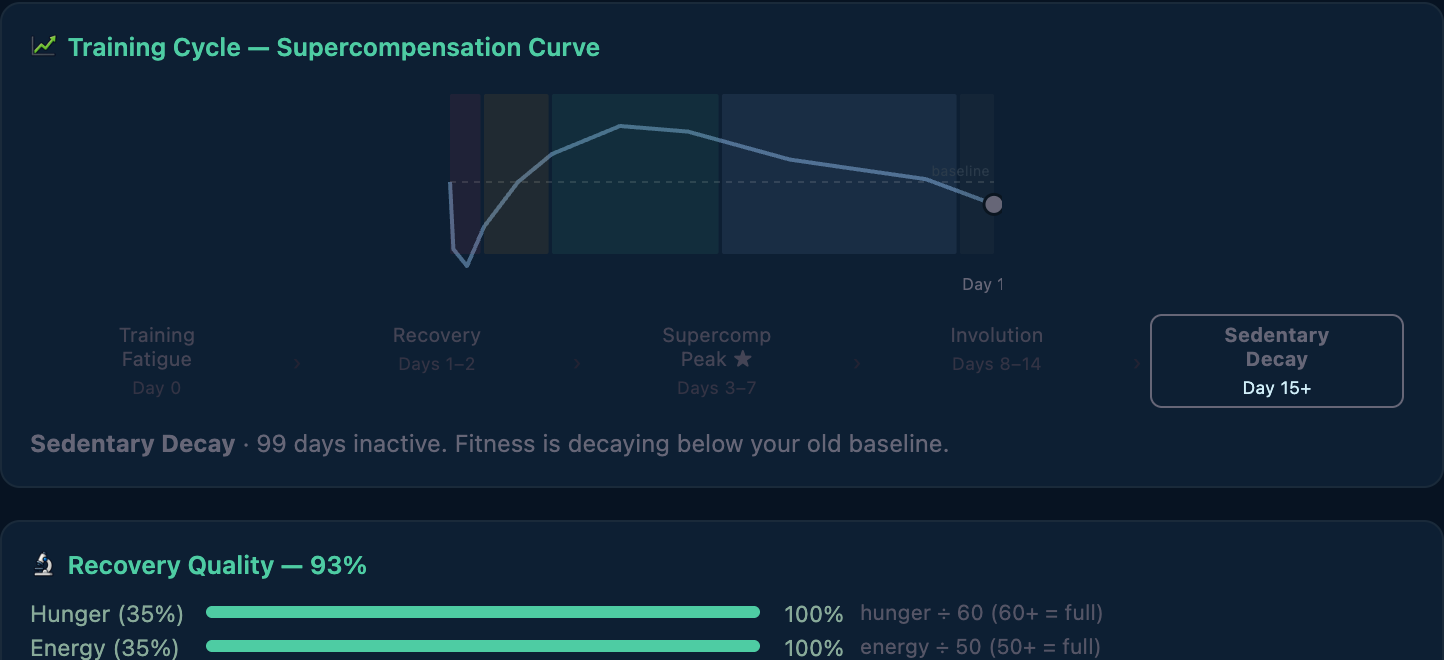
Recovery quality depends on how well you sleep, eat, and hydrate in the days after training. Junk food and alcohol cut your gains. Home-cooked meals and a good night's sleep lock them in. The My Health tab shows you where you are in the cycle.
You don't need a gym or any equipment. At home, on the street, or in the park you can do bodyweight work — stretch, a quick jumping-jacks-and-pushups set, a full calisthenics circuit, or a brutal HIIT session. Each activity shows its intensity and the rough fitness it'll build before you commit. Intensity matters: a light stretch or walk barely nudges fitness (but you can do it daily), while heavy lifting, a hard calisthenics circuit, or HIIT drives the real gains — and demands real recovery (up to 3 days) before another hard session pays off. Reaching elite fitness takes consistent vigorous work, not casual movement.
Family — Optional, Meaningful, and a Little Stressful
Relationships build up in stages: you can start dating, grow it into a committed relationship, get engaged, and — at 22+ — marry. Moving in together and sharing finances are explicit choices you make along the way, not automatic. A partner can help: a shared household has one earner at a time, so a partner can chip in a modest contribution when you're between jobs — but it's never a second full salary stacked on yours, and it doesn't pad your career earnings or the leaderboard. Partnership buys you breathing room, not a cheat code.
Once married, kids can happen — biological (a "we're expecting" event after ~1 game year) or through adoption (costs money, has a waiting period). Family members have their own happiness. Neglect them and stress builds. Neglect them long enough and the consequences are realistic and uncomfortable.
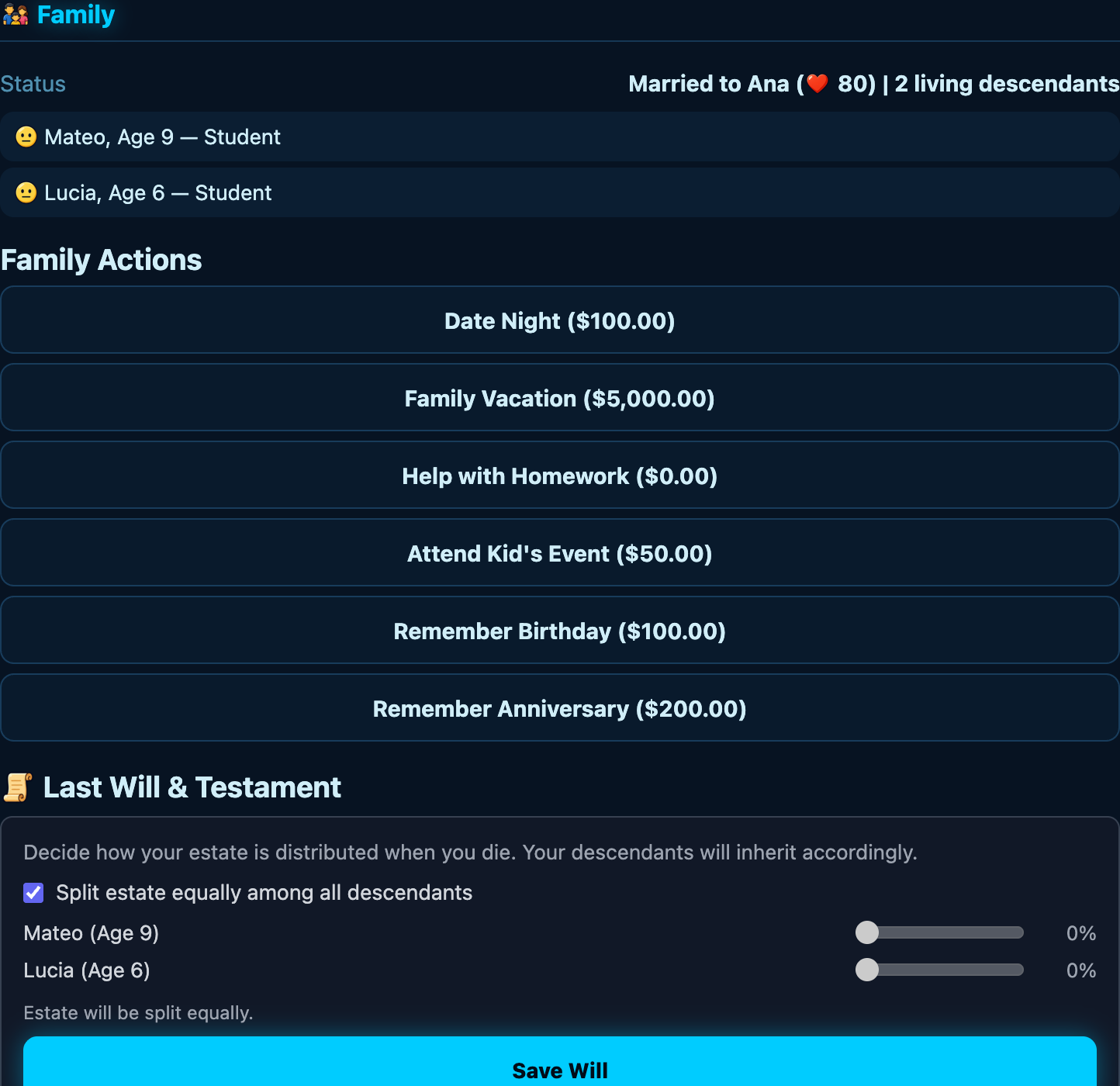
You don't have to build a family. But it changes the late game. When you die, every living descendant is a continuation option — a chance to inhabit their life and keep the bloodline going. No descendants and you start a new bloodline from scratch. The game is gentler if you've been building a family tree.
Revisit your completed lives
Open Family → Bloodline Chronicle to revisit the latest 24 completed lives recorded in this save. Open a generation chapter for its recorded career high point, life review and milestones. The newest three chapters come first; Earlier chapters reveals the rest. Routine updates leave an unchanged chapter open. A life enters the Chronicle when you inhabit a descendant, not just when a milestone occurs. The archive is private to this save, not a public profile or a complete family tree. Older lives that were never recorded cannot be reconstructed.
Death — Don't Fear It, It's Not the End
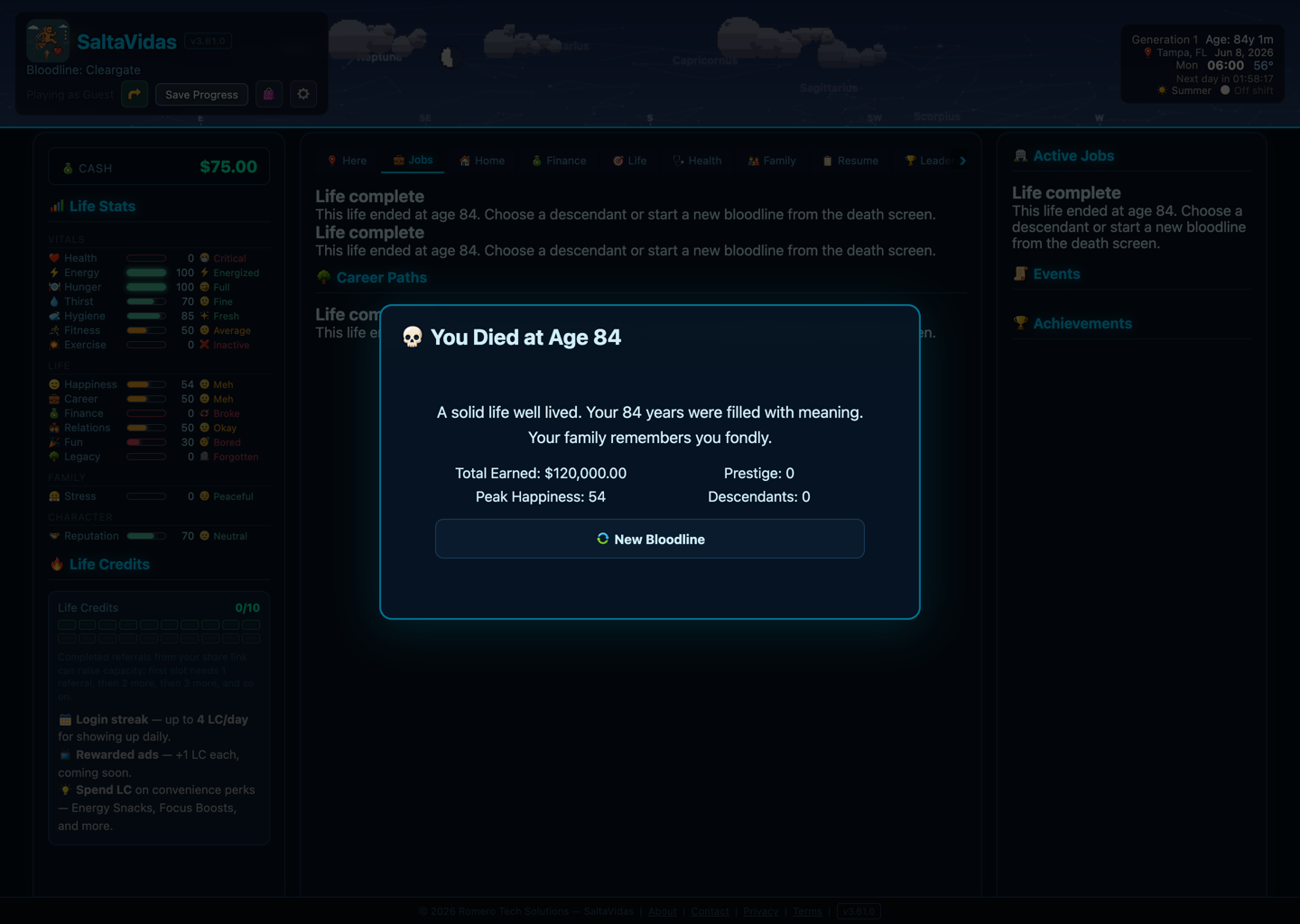
Your character dies somewhere between 72 and 90, depending on health choices and a little luck. When they do, you get a life score — a summary of everything they earned, built, lost, and left behind. Then you pick a descendant (if any exist) and inhabit their life. The generation counter goes up. The bloodline continues.
A Few Things Worth Knowing
- There are many ways to make a life. Use Explore milestones on the Life tab or in Achievements to search goals and filter what you have or haven't earned. Browsing doesn't choose a goal for you or change its requirements.
- The game runs while you're away. One day every ~2 real hours. Check in 2–3 times a day — that's the sweet spot.
- Work shifts happen automatically if you don't show up manually, and you won't get fired just for idling. But you can get fired for cause — chronic lateness, tanked performance, or showing up drunk — and once you're fired you can't reapply right away. More on getting fired, blackballed, and earning your way back →
- Housing matters. You start with no home — on the street — so getting a roof over your head is an early priority (and shields you from the weather). Better housing then unlocks activities — home gym, sauna, game room, proper kitchen. These aren't just cosmetic; they affect what your character can do each day.
- The Work Harder button gives +50% income for a tick but costs health and happiness. Use it when you need money fast, not as a default.
- Don't ignore the Here tab. It surfaces what you should probably do next. When you don't know what to do, it usually has a suggestion.
- You can invite friends. Registered players get an invite link. Friends who join give you a temporary income boost, and every player in your network grows your Social Influence — a small permanent bonus. Your invitation starts without personal game details. Open Personalize your post to include your character name, game city, job roles or generation, then review the text before copying or sharing. Nothing is posted automatically.
- The night sky does something. The five naked-eye planets — Mercury, Venus, Mars, Jupiter, and Saturn — move through the sky on their real orbital cycles. When one enters retrograde, it glows with a pulsing ring. Each retrograde gives your character a small daily boost: Mars lifts Career Satisfaction, Venus lifts Happiness, Mercury lifts Energy, Jupiter lifts Financial Security, Saturn lifts Legacy. The rarer the retrograde, the stronger the effect. If you notice a stat bar glowing, a planet has your back.
Common questions
- What is SaltaVidas?
- A free idle life simulator in your browser. You start at 18, work, keep a household, raise a family, and can continue as a descendant when that life ends.
- Is SaltaVidas free?
- Yes. A full life does not require payment. The shop is optional: save slots, Life Credit vouchers, and cosmetic badges. You cannot buy a job or a raise.
- Do I need to download SaltaVidas?
- No. Open saltavidas.com. There is no app-store install.
- Is SaltaVidas like BitLife?
- Same kind of story — careers, family, decades — but idle: time moves while you are away. Not affiliated with BitLife.
- Can I pay for a better job?
- No. Qualifications only. Money pays for school and prep, not the title.
- How does time work in SaltaVidas?
- About one game day every two real hours, even when the tab is closed. Check in a few times a day.
Ready to Start?
Chat safety reminders
Fictional character details are welcome. Do not ask for another player’s real-world private information or identifying documents. A private System reminder does not restrict your account. If the wording was misunderstood, select Request moderator review on the notice, or open Settings → About → Safety reminders & review later. Block and report remain available in Chat.
Your life is waiting. No downloads, no account required to try a guest game — just play. Create an account when you want account-based features such as your job-card collection and player conversations.
Start Your Life →Don't See Your Career?
SaltaVidas has 250+ jobs and more are added regularly. If there's a career path you'd love to see — plumber to plumbing contractor to plumbing empire, wildlife biologist, forensic accountant, long-haul trucker, underwater welder, rodeo clown — send it in. Every suggestion gets read by the actual human who makes this game.
Submit a Career Idea →